Three steps to the spotlight
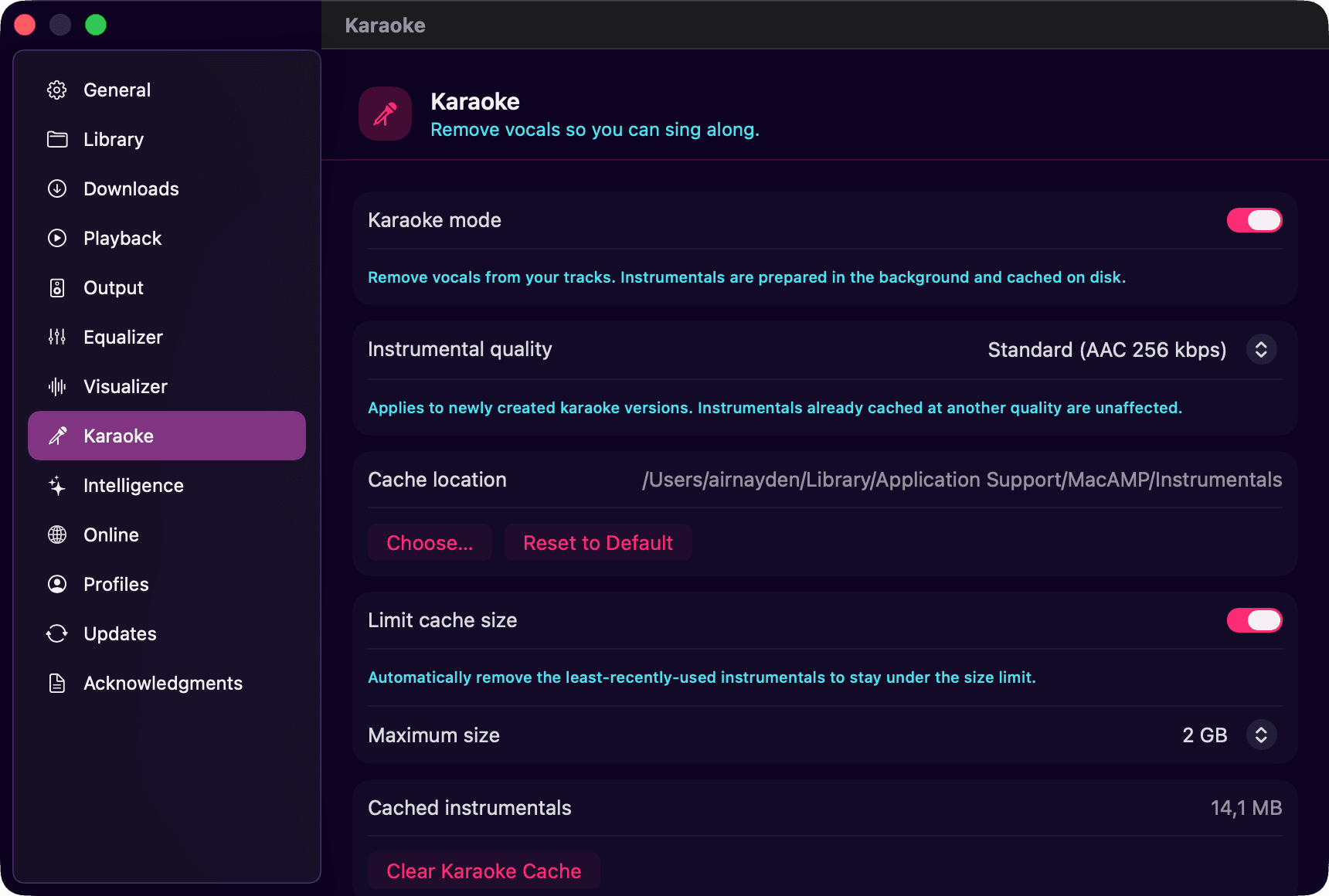
- Switch it on in Settings › Karaoke. Nothing renders until you ask, so there’s no surprise fan noise.
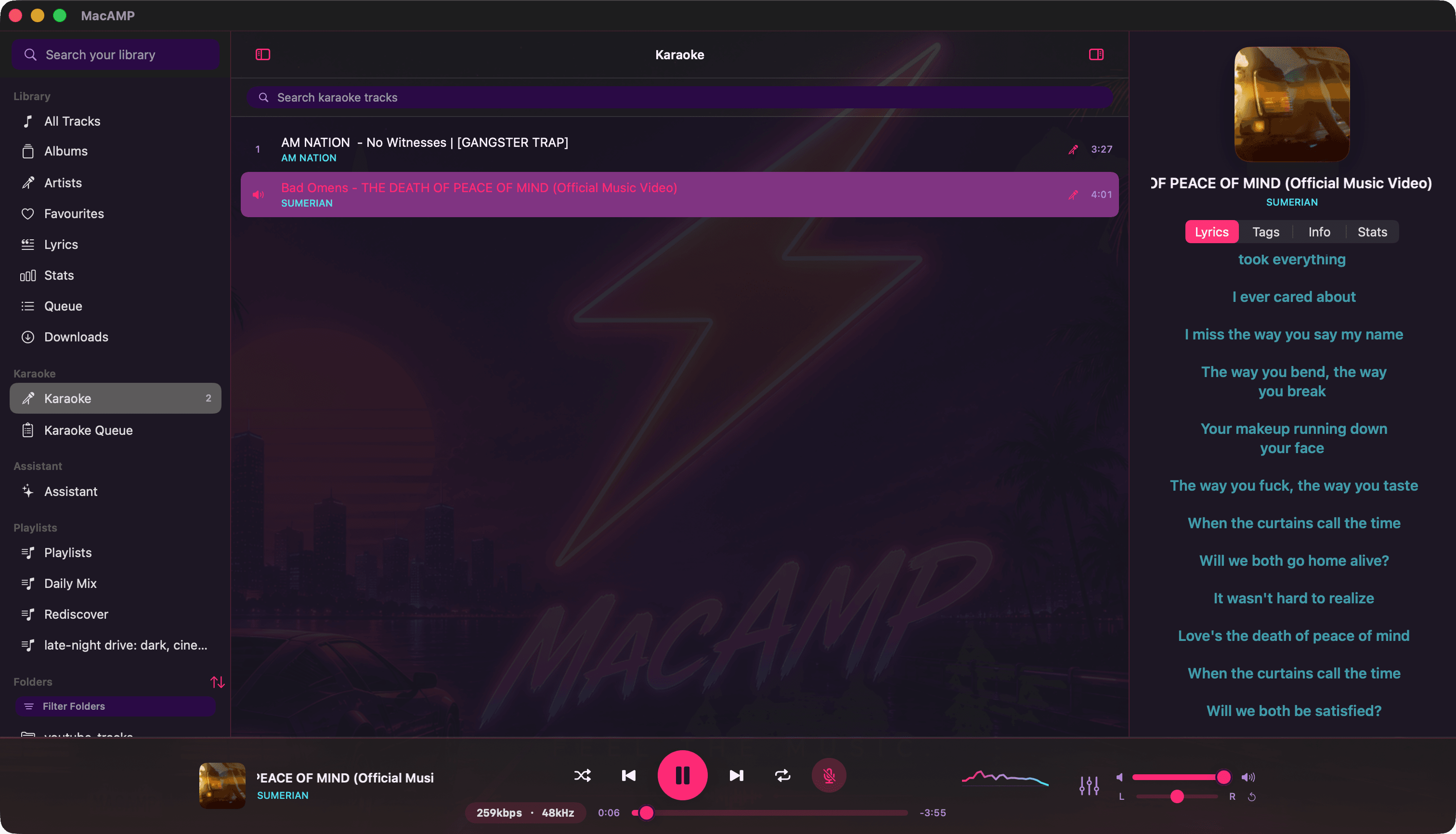
- Press the mic on the playing track, or on any row in your library, to queue it.
- Sing. When the mic lights up, press it again and you’re hearing the instrumental. Press once more to bring the vocals back.
A neural network, not a phase trick
Old “vocal removers” cancel out whatever sits in the middle of the stereo mix, which also takes out the bass, the kick and half the snare. MacAMP uses Mel-Band Roformer, a modern source-separation model, through Core ML. It works on the song in sections and writes a clean instrumental to a cache, so the second time you sing it, it starts instantly.
The pipeline: decode, resample to 44.1 kHz, short-time Fourier transform, the model, the inverse transform, then encode to AAC or ALAC.
Read the mic button
| Mic looks like | Meaning |
|---|---|
| Mic with a + | No instrumental yet. Click to make one. |
| Mic with a ring | Rendering. The ring fills as it goes. |
| Mic with a dot | Ready. Press to switch to the instrumental. |
| Glowing mic, crossed out | You’re hearing karaoke. Press to bring the singer back. |
Switching keeps the song’s identity: the artwork, the Now Playing info, ReplayGain and gapless playback all stay the same. Only the audio changes.
Line up the whole night
Renders run in the background one at a time, so you can queue a dozen songs and keep listening while they cook. The Karaoke Queue shows what’s rendering and what’s next. You can pause, reorder, or jump a song to the front. Karaoke in the sidebar lists everything that’s ready to sing, and ready tracks wear a small mic badge in any list.
Quality and space
Instrumentals are saved as AAC at 256 kbps by default, or as lossless 24-bit ALAC if you’d rather. The cache has a size limit (2 GB to start), clears out the songs you haven’t sung in longest, and can live on another drive.