
What MCP is, in one paragraph
The Model Context Protocol is an open standard that lets AI apps call tools in other programs. MacAMP ships a small MCP server built on the official Swift SDK. When it’s on, an app like Claude Desktop can ask MacAMP things like “what genres do I have?” or “find me fast tracks from the 90s”, and get real answers from your library.
Turn it on
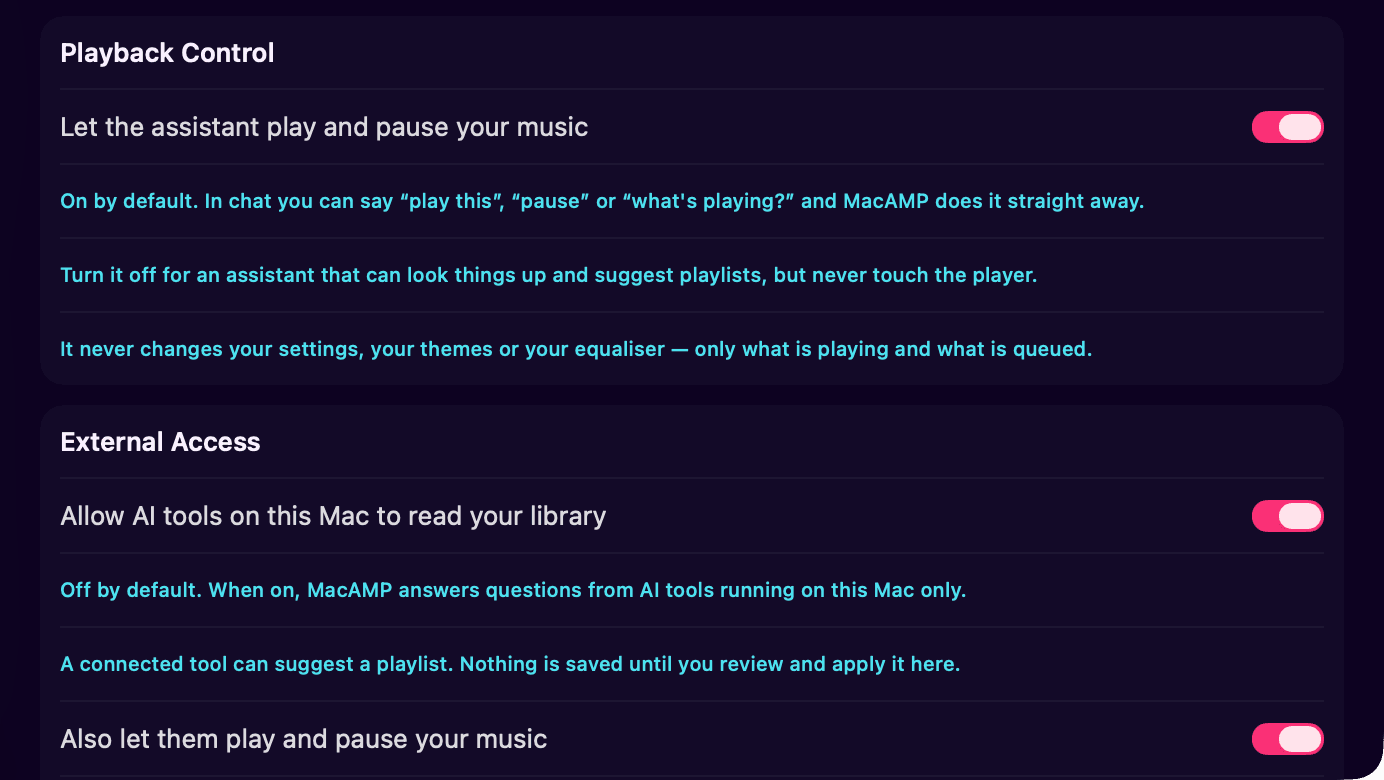
- Open Settings › Intelligence and scroll to External Access.
- Switch on Allow AI tools on this Mac to read your library. A short sheet explains what that means. Read it and accept.
- Point your client at the address shown,
http://127.0.0.1:46114by default.
{
  "mcpServers": {
    "macamp": { "url": "http://127.0.0.1:46114" }
  }
}
For Claude Desktop, that goes in ~/Library/Application Support/Claude/claude_desktop_config.json. Restart Claude and MacAMP appears in its tools.
What a connected app can do
- library tools
- 10
- playback tools, if you allow them
- +4
- file paths in any result
- 0
| Tool | What it does |
|---|---|
search_tracks |
Search by title, artist or album. |
list_genres |
Your library’s own genre vocabulary, with counts. |
get_tracks |
Details for specific tracks. |
get_track_features |
Tempo, energy and brightness, where analysed. |
sample_tracks |
Pick tracks by genre, year, tempo or energy range. |
get_listening_stats |
Your top tracks, artists and genres for a time window. |
list_playlists / get_playlist |
Playlist names and contents. |
match_tracks |
Match a list of songs against your library. |
propose_playlist |
File a playlist proposal for you to review in MacAMP. |
Turn on Also let them play and pause your music and four more tools appear: get_playback_state, play_tracks, queue_tracks and transport. Switch it off and they disappear from the list entirely, not just blocked, gone.
Proposals, not changes
The only thing an outside app can write is a proposal. It lands in MacAMP’s Assistant pane and waits for you to review and apply it, the same way the built-in assistant works. Nobody edits your library behind your back.
Testing it
The official MCP Inspector lets you call every tool by hand:
npx @modelcontextprotocol/inspector http://127.0.0.1:46114The other direction
MacAMP can also use MCP servers. Add your own under Settings › Intelligence › MCP Servers, and the in-app assistant can call their tools alongside its own when a cloud model is answering.