
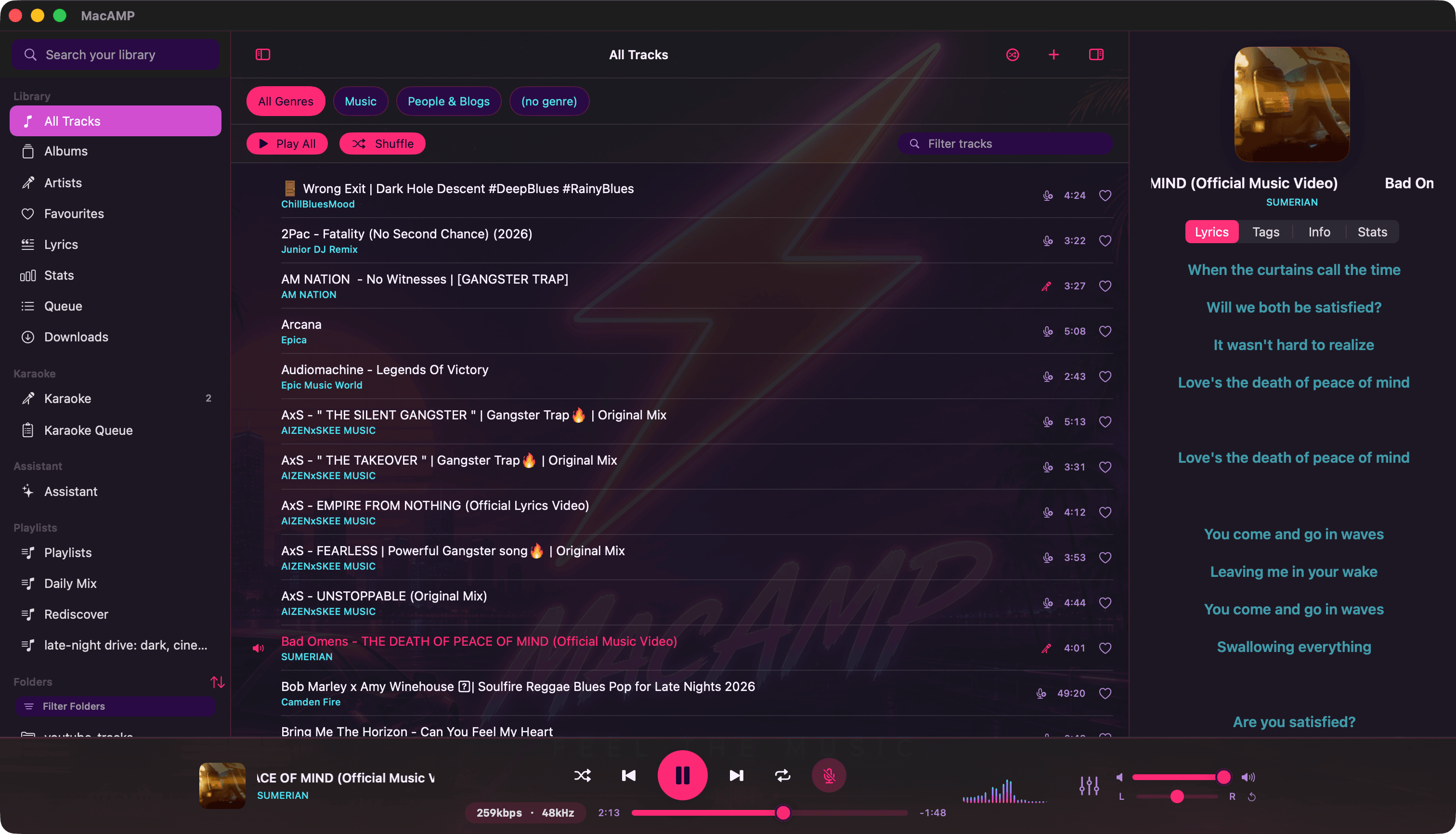
Where lyrics come from
MacAMP checks three places, in this order, and stops at the first hit:
| Source | Details |
|---|---|
| Embedded tags | Lyrics stored inside the file itself (ID3, Vorbis comments and friends). |
| A .lrc file | Same name as the song, same folder. Track 01.flac pairs with Track 01.lrc. |
| LRCLIB | An open online lyrics database, matched by title, artist and duration. |
Local sources always win. Turn off Online lyrics in Settings › Online and MacAMP never asks the internet at all.
Synced, line by line
When lyrics carry timestamps, the active line is highlighted in the accent colour and the panel scrolls to keep it centred. The other lines dim back so your eye knows where to land. Reduce Motion is respected.
The lyrics library
Lyrics in the sidebar lists every song whose words MacAMP already knows, so you can browse and read them without starting playback. It fills itself three ways: a quiet offline sweep of your tags and .lrc files on launch, background enrichment, and simply opening a song.
Make your own
A .lrc file is plain text with a timestamp per line:
[00:12.34] First line of the song
[00:15.78] Second line
[00:19.00] Third line
Save it next to the song and MacAMP picks it up on the next play.