Online lyrics
When no local lyrics exist, MacAMP can look them up on LRCLIB. One switch in Settings › Online turns it off.
Privacy
MacAMP was designed offline-first. No sign-up, no analytics, no ads. Anything that touches the network is optional, labelled and switchable.
On-device
These parts of MacAMP never need the internet. Turn Wi-Fi off and they keep working.
Optional online extras
When no local lyrics exist, MacAMP can look them up on LRCLIB. One switch in Settings › Online turns it off.
Bios and album notes from MusicBrainz and Wikipedia. Turn off “Online data” and none of it happens.
Claude or ChatGPT only see what the consent sheet lists. Never file paths, audio, artwork or lyrics.
Downloads you paste, and link checks for songs the assistant suggests. Only titles and artists of songs you don’t own are looked up.
Sparkle checks a signed release feed for new versions. Nothing about you or your library is sent.
AI & your data
The assistant is off until you switch it on, and you choose who powers it. Run Ollama on your own Mac and nothing leaves it. Pick Claude or ChatGPT and MacAMP first shows you, in plain words, exactly what the model may read. Suggestions from the web are a separate opt-in with their own disclosure.
Every tool result passes through a rendering layer that never reads file paths, and an automated privacy sweep checks every tool on every build.
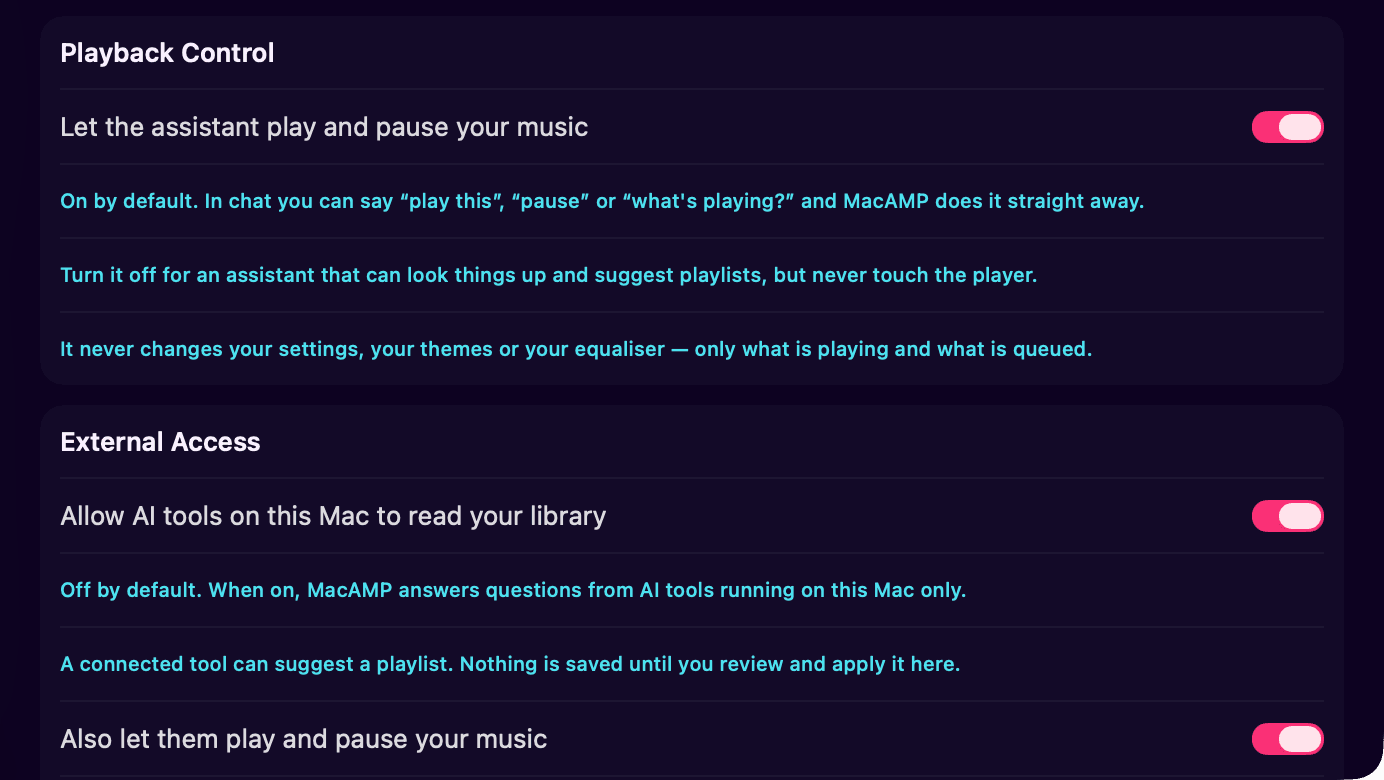
External access
MacAMP’s built-in MCP server lets AI clients on your Mac browse your library and file playlist proposals. It isoff by default, listens only on 127.0.0.1, and stays off across relaunches until you turn it on. Playback control is a separate grant on top.
Proposals from external agents are reviewed inside MacAMP before anything is saved, the same way the built-in assistant works.
This website
macamp.si and the user guide at docs.macamp.si use Cloudflare Web Analytics to count page views. It sets no cookies, doesn’t fingerprint your browser, and doesn’t follow you across other sites. We only see totals: which pages are read, roughly from which countries, and how fast they load.
That’s why there’s no cookie banner. None of this touches the MacAMP app, which sends no analytics at all.
The contact form is guarded by Cloudflare Turnstile, which keeps spam bots out without a puzzle. It runs only on the contact page and looks at technical signals from your browser (such as your IP address and browser type) to tell people from bots, not to profile you. Most visitors never see it; now and then it may ask for one click.
Download MacAMP
Free of accounts, ads and tracking. Just you, your library and a little neon.
or install from Terminal
curl -fsSL https://downloads.macamp.si/install.sh | bash