
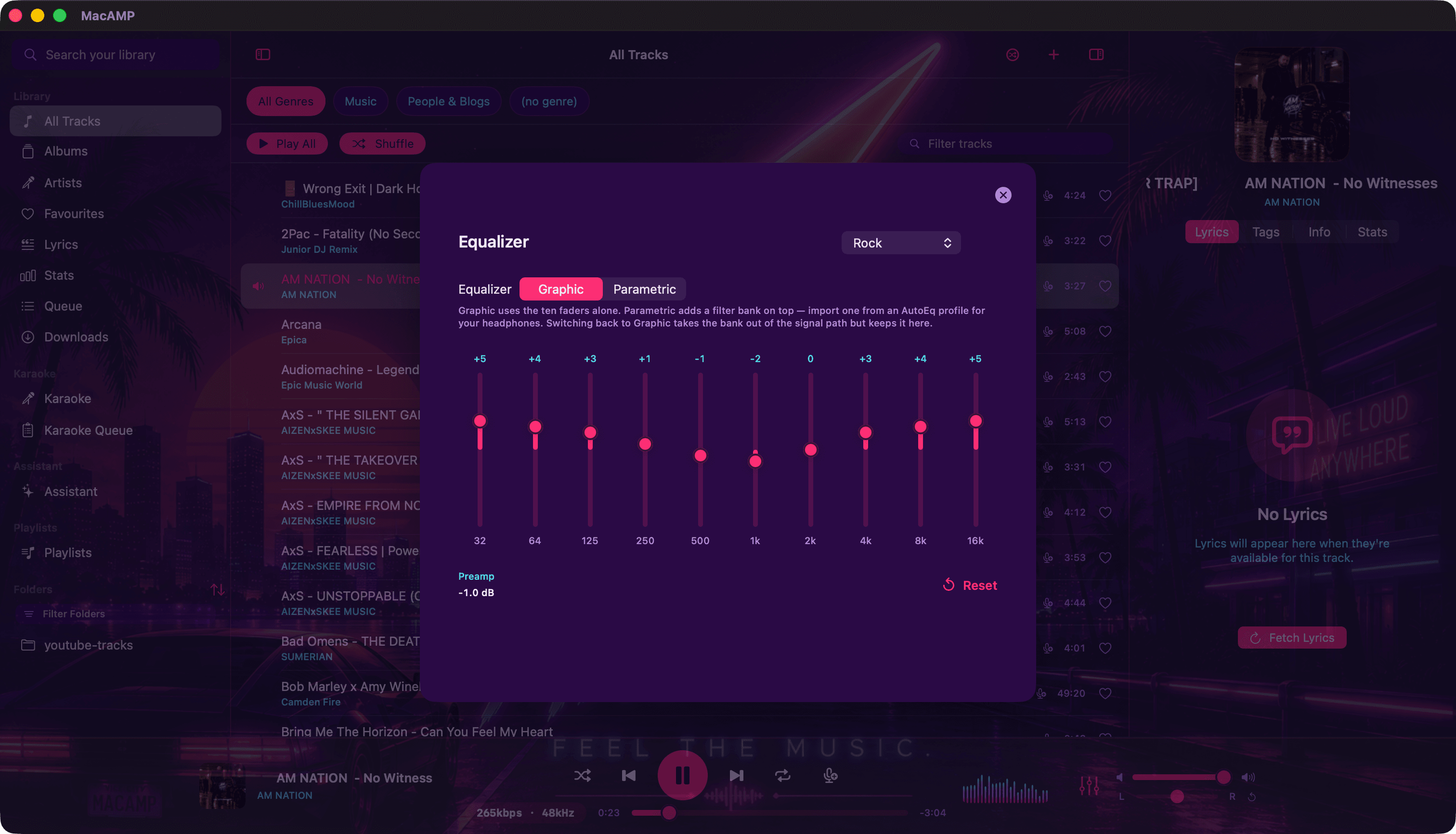
The 10-band graphic EQ
Click the sliders icon in the player bar. Ten bands from 32 Hz to 16 kHz, a preamp, built-in presets such as Rock, and presets of your own. Pick a default preset and every session starts there.
The parametric EQ
When ten fixed bands aren’t enough, switch to Parametric. Each filter has its own frequency, gain and Q, and the whole curve is drawn as you shape it. It sits on top of the graphic EQ, so you can use both.
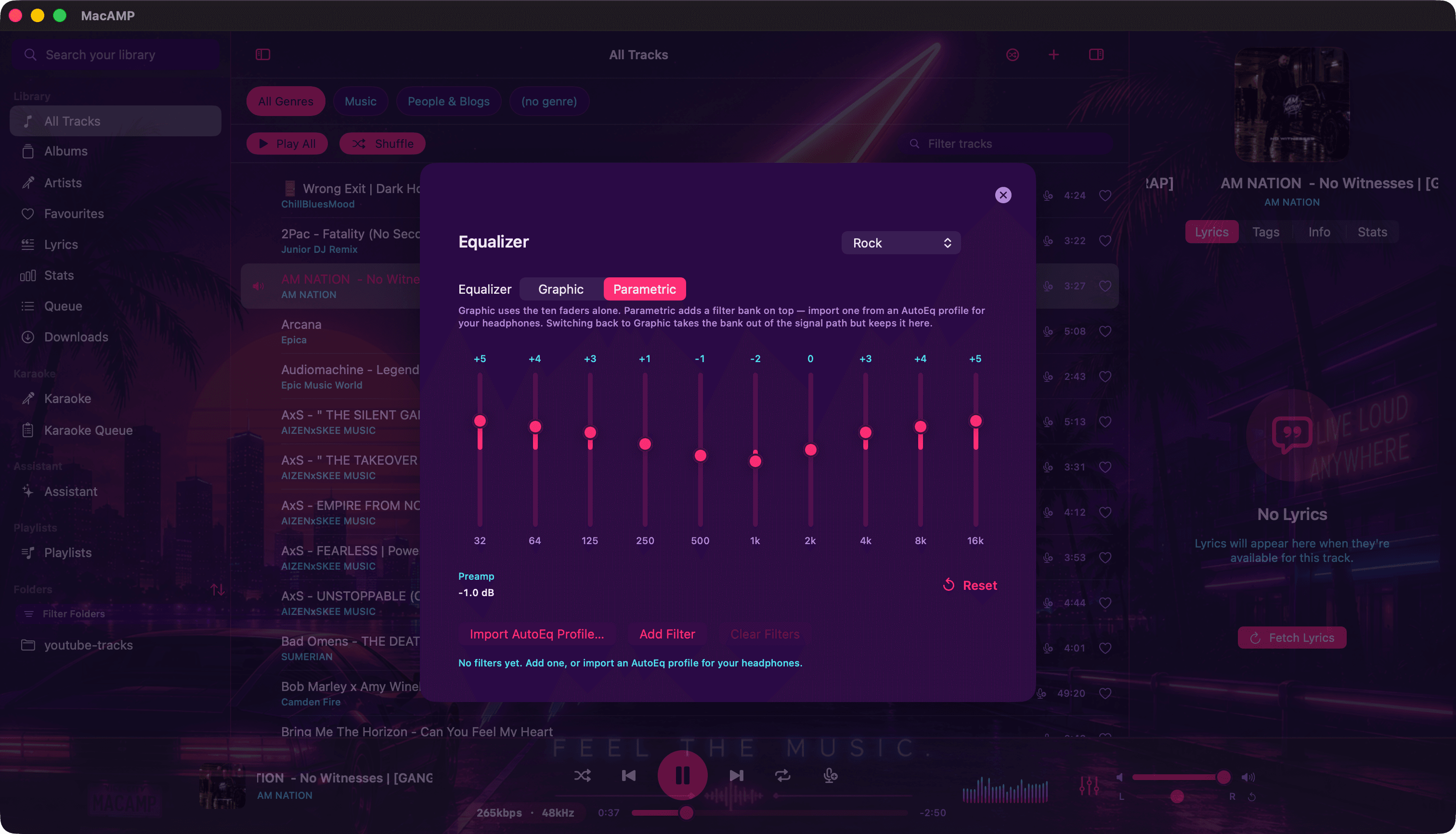
AutoEq headphone profiles
AutoEq publishes measured correction curves for thousands of headphones. Import the one for your model and MacAMP turns it into parametric filters. It’s the single biggest upgrade most headphones will ever get, and it costs nothing.
Crossfeed
Old stereo records love putting the bass in one ear and the drums in the other, which sounds odd on headphones. Crossfeed blends a little of each channel into the other below a cut-off, the way speakers naturally do. Choose Default, Chu Moy, Jan Meier or set your own cut-off (300 to 2000 Hz) and feed level.
ReplayGain and loudness
Choose track or album mode and quiet records stop being drowned out by loud ones. MacAMP can measure loudness for tracks that don’t carry ReplayGain tags yet. It only runs when you ask, never during an import.
See the signal path
Click the little format badge in the player bar (the one that says something like 320 kbps · 44.1 kHz) and you get the whole chain:
| Stage | What it shows |
|---|---|
| Source | Codec, sample rate, bit depth and bitrate, plus a DSD badge for DSD files. |
| Processing | ReplayGain, total gain, graphic EQ, parametric EQ, crossfeed and balance, each lit when active. |
| Output | The engine format, the device’s sample rate and whether resampling is happening. |
When nothing is processing your audio, you get a Direct path badge. When something is, you’ll know exactly what.