
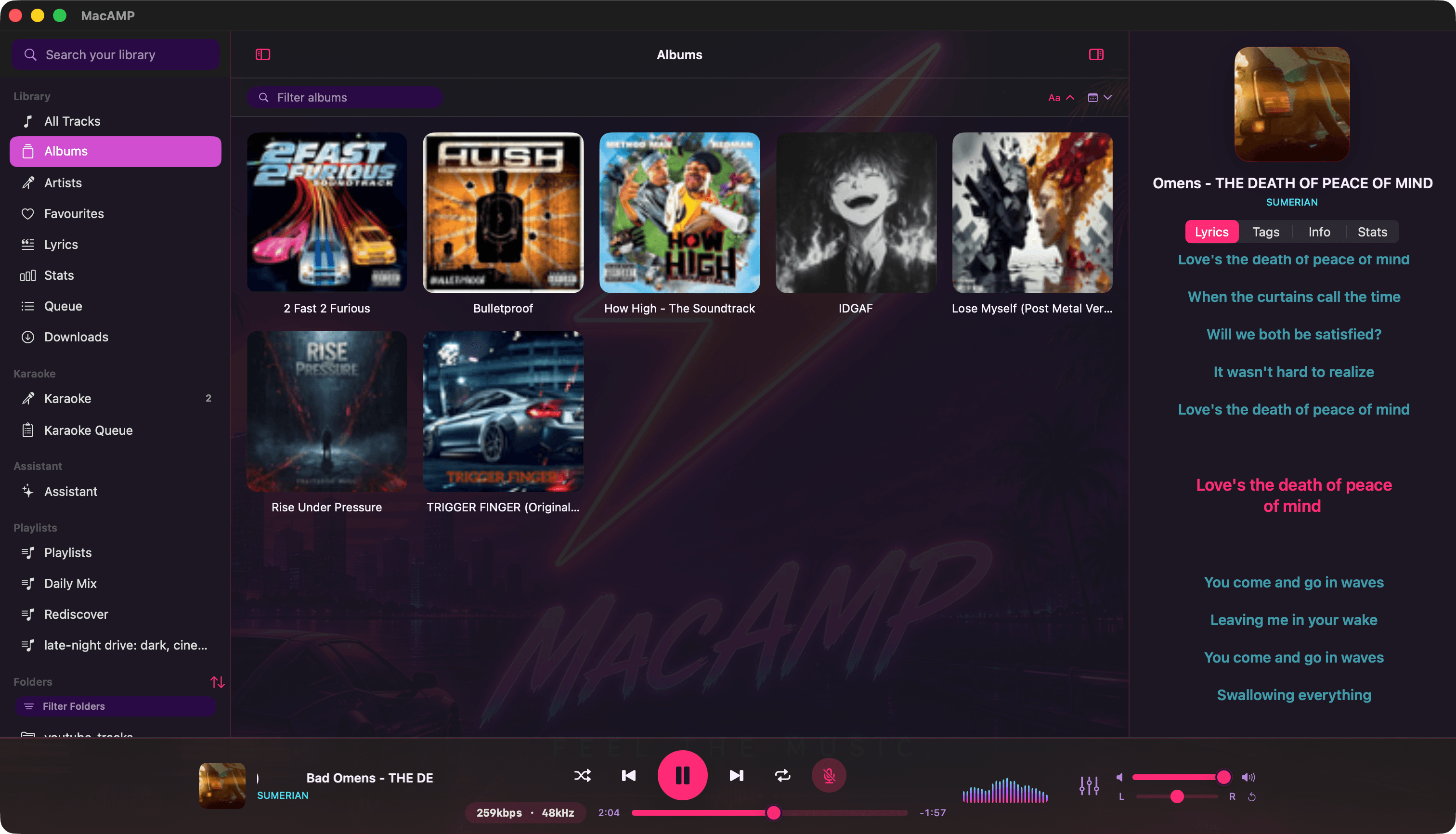
Folders in, music out
Open Settings › Library, click + and choose a folder. MacAMP scans it right away, then keeps an eye on it with FSEvents. Drop new files in and they appear within seconds. No rescan button, no “update library” ritual.
Each folder shows its status at a glance: readable, blocked by macOS privacy settings (with a button that takes you to the right place), or gone. If a drive is unplugged, its tracks are marked offline instead of vanishing, and they come back the moment it’s mounted again.
- audio formats
- 14+
- folder watching, no rescans
- Live
- playlist file formats
- 4
Every format worth keeping
FLAC, ALAC, AAC/M4A, MP3, Opus, Ogg Vorbis, WavPack, Monkey’s Audio, Musepack, WAV, AIFF, DSD (DSF and DFF), and even old tracker modules (MOD, XM, IT, S3M). If it lives in your collection, it plays.
Browse it your way
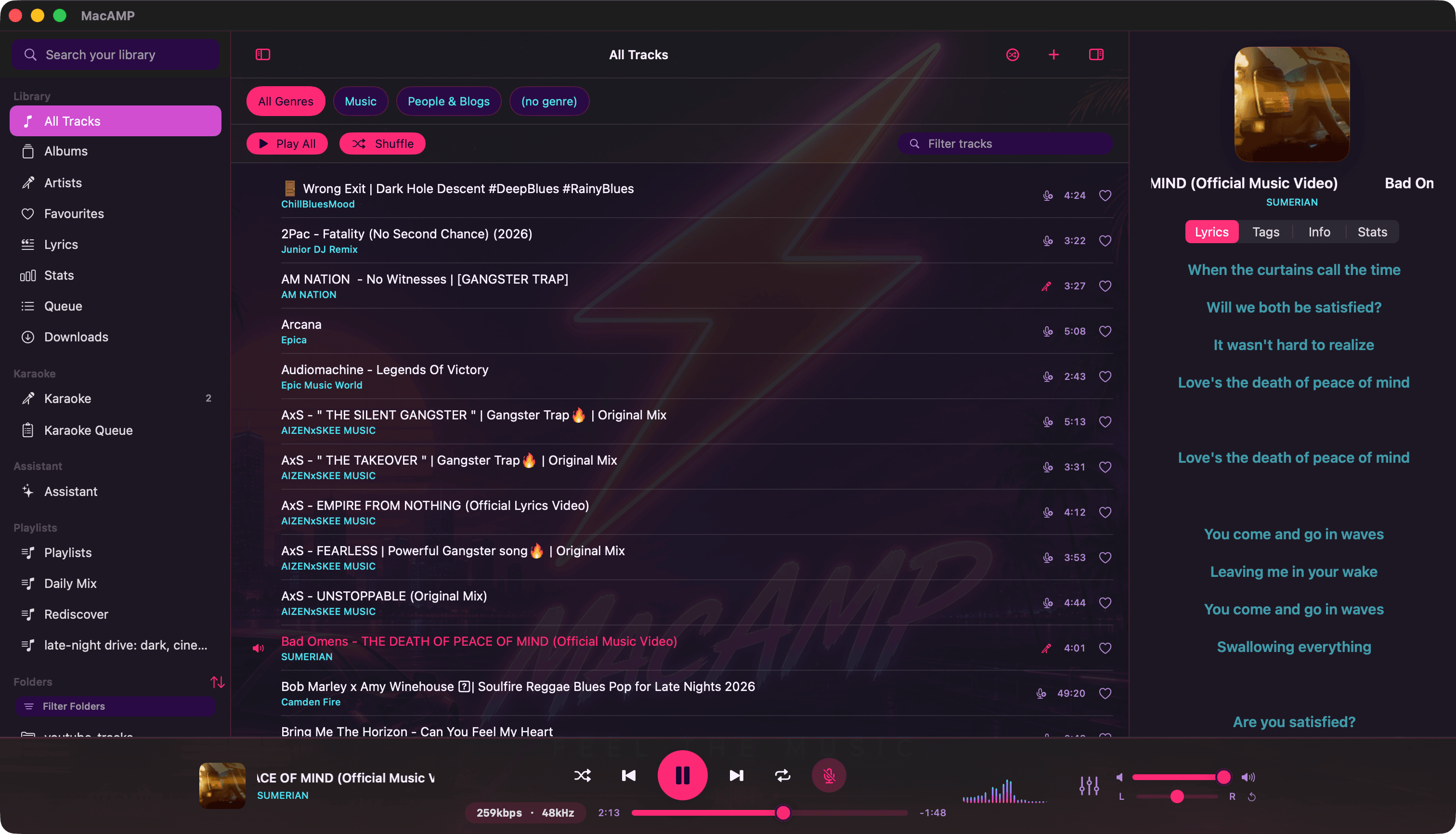
- All Tracks with genre chips, Play All, Shuffle and a quick filter.
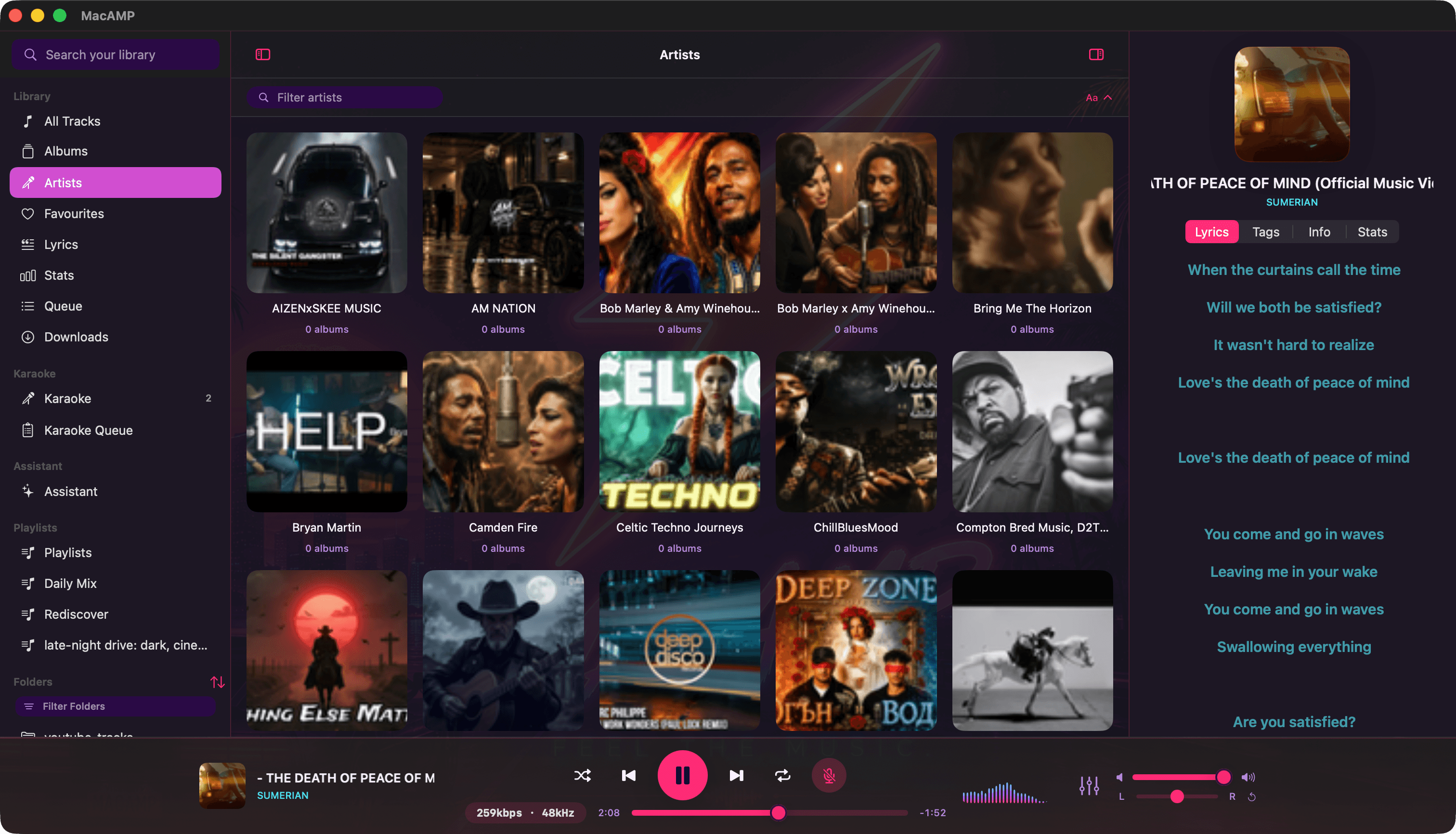
- Albums and Artists as artwork grids. Artist pages show their albums and, if you like, a short bio.
- Favourites, one heart away.
- Folders mirror your disk, with your own drag-and-drop order per folder.
- Search matches titles, artists and albums as you type.
Playlists
Make them by hand, let the assistant draft one, or set up smart playlists that fill themselves from rules and stay current as your library changes. Import and export M3U, PLS, JSON and JSPF, so nothing is locked in.
Tags, edited safely
Fix a typo in an artist name or add a missing album and MacAMP writes the tag to a copy first, swaps it in only when the write succeeds, and rolls back if anything fails. Your original file is never left half-written.